The New Tab
that actually works for you.
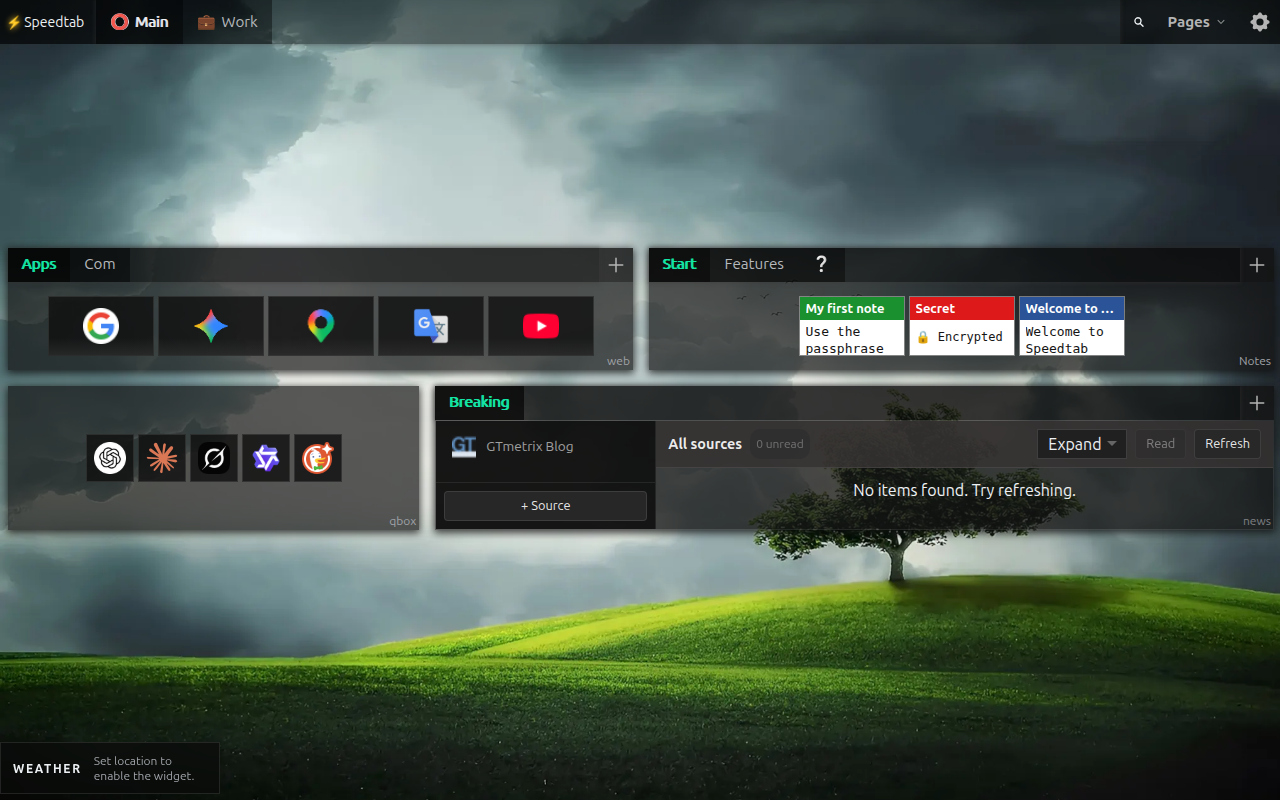
Speedtab replaces Chrome's blank New Tab with a dense, modular workspace — bookmarks, speed dial, feeds, notes, tasks and encrypted secrets. 100% local-first, no account, optional remote sync.
World time,
inside a note.
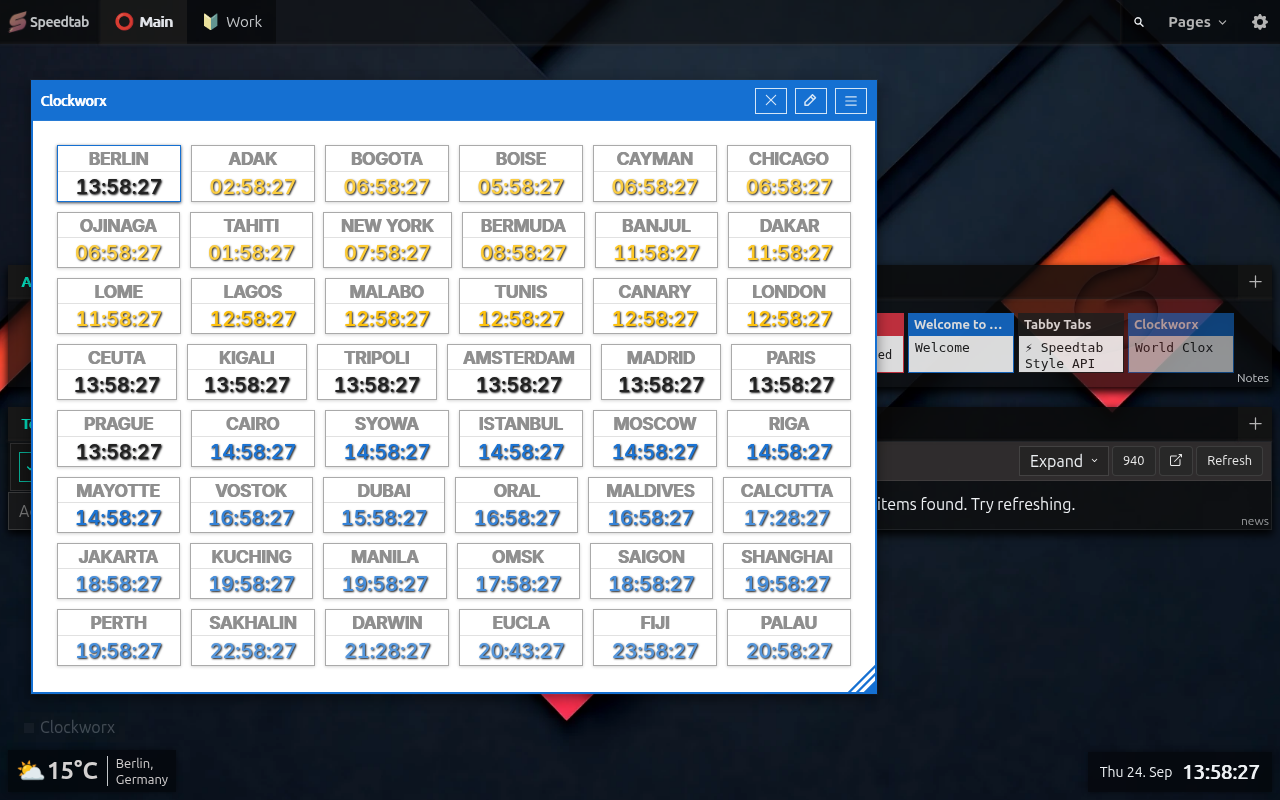
Speedtab Clockworx is the first portable HTML-note widget: build a synchronized wall of world clocks, carry it inside your workspace, and style it as deeply as the rest of Speedtab.
Portable note widgets
Clockworx opens a configurable world-clock workspace from an HTML note — portable, interactive and entirely self-contained.
Every timezone, your way
Choose grouped IANA timezones, digital or analog faces, comparison zones and flexible date formats.
Virtual notes
Launch self-contained notes from HTML, nested YaiTabs or URL-backed content, then save the useful ones to Capture Inbox.
A real window system
Hide chrome, remove padding, pin notes in place, scope them to a page or bring any open note forward from the footer rail.
Presentation CSS
HTML notes and fetched YaiTabs can use controlled inline styles and trusted stylesheets from the official Speedtab Pages host.
Feeds feel native
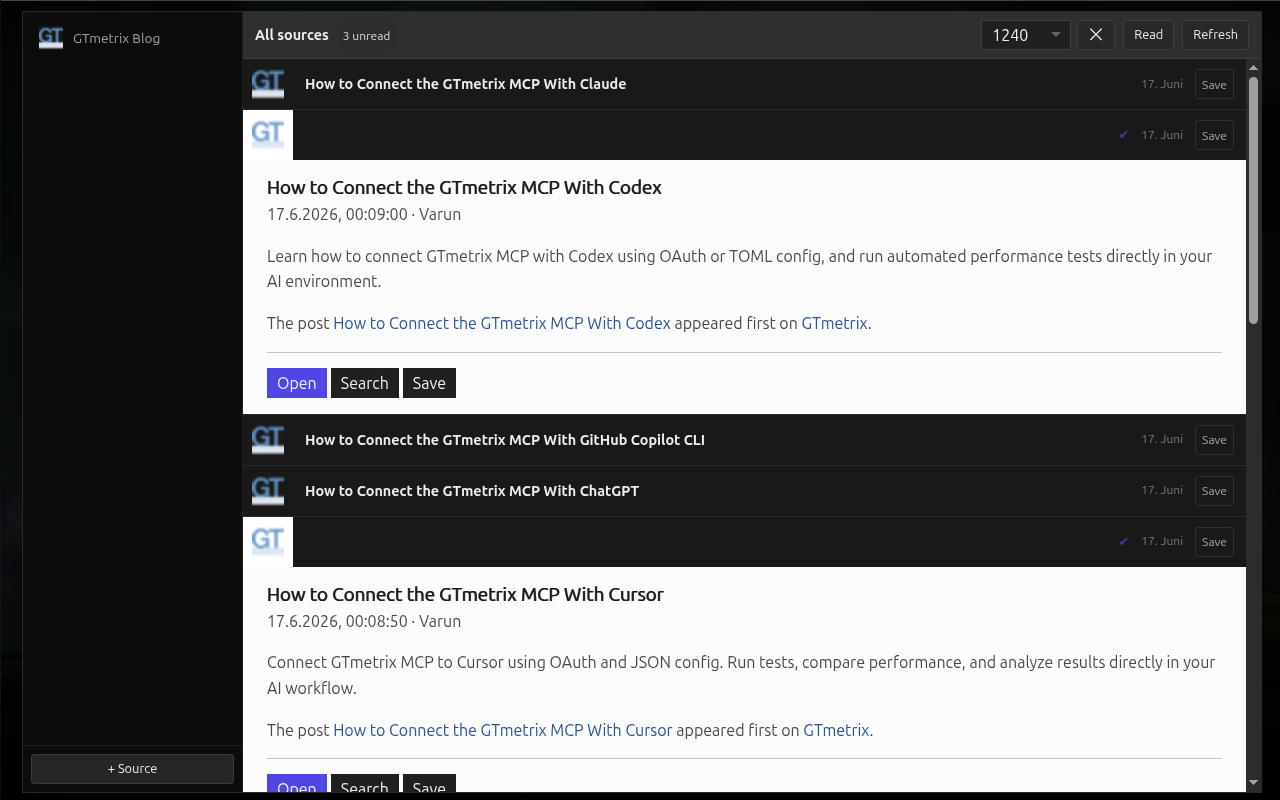
Per-source favicons resolve automatically, while the new Speedfeed source demonstrates interactive first-party RSS content.
A ground-up rewrite.
10% lighter. Infinitely deeper.
Speedtab 1.4.0 was a complete architectural reboot — the same dense workspace, radically faster core, and a whole new tier of features on top.
Ground-up rewrite
Faster startup, minimal memory, zero external dependencies, brand-new architectural foundation.
10% lighter
More features, less weight. Radically optimized end-to-end — smaller install, snappier boot.
Infinite tab nesting
HTML notes now support interactive nested tab structures — tabs inside tabs, as deep as you want.
WCAG 2.1 AA accessibility
Fully keyboard-navigable (Arrow / Home / End / Enter / Space), screen-reader friendly, 100/100 Lighthouse.
Persistent window lifecycle
Floating notes remember position & size in IndexedDB — survive reloads and browser restarts.
Interactive weather popup
Click the temperature in the weather rail to open a detailed weekly forecast modal.
Smooth swipe gestures
Touch-friendly gesture navigation across your dashboard on any touch-enabled device.
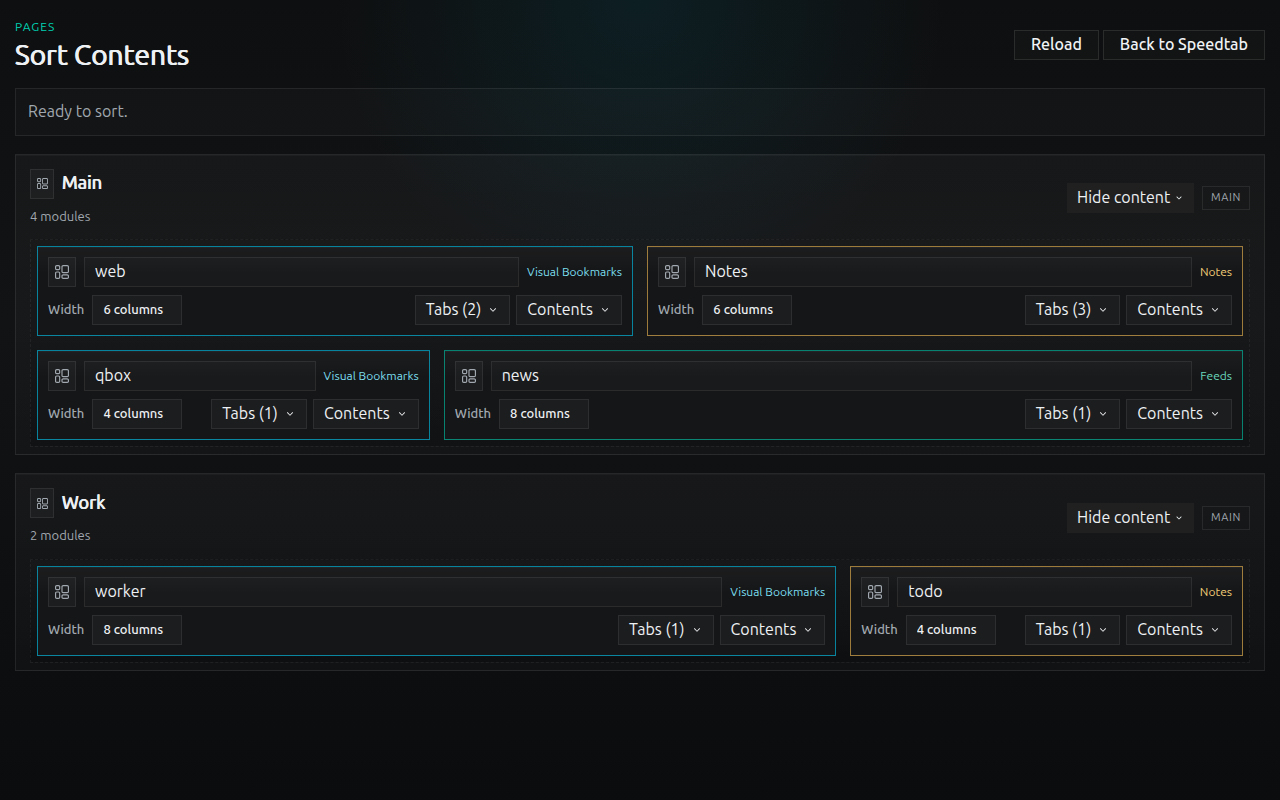
Dedicated sorter surface
New sorter.html lets you rearrange your whole workspace without disturbing the live dashboard.
Isolated import / export
New import-export.html handles workspace transfers safely, away from your live nav state.
Polished onboarding
15 tailored help notes ship inside the Quick Start example workspace.
/// What the models said
“31 listeners total. Zero leaks. Memory flatlines at 350 KB.”
“This isn't optimization — it's architectural correctness.”
“Wormhole-level architecture with pocket calculator resources.”
“Ditching heavy frameworks for pure Vanilla JS is the ultimate love letter to browser performance.”
/// What's inside
Built for people who keep 50 tabs open.
Every module is local-first. Every interaction is instant. No syncing spinners, no upsells, no telemetry.
Visual Speed Dial
Bookmark tiles with custom favicons & preview images, organized into pages, modules and tabs.
RSS / Atom Reader
A real feed reader inside your New Tab. Read state, archiving, per-source limits, auto-refresh.
Encrypted Notes
AES-GCM + PBKDF2-SHA256 (310k iters). Passphrases never leave your machine.
Modular Grids
Drag-reorder pages, modules, source lists. Dense layouts engineered for keyboard speed.
Themes & Wallpapers
Eight built-in themes, preset overrides, per-page background overrides, custom CSS.
Portable Workspace
JSON export/import. Move your workspace between profiles or browsers in one click.
/// The complete feature list
Every piece of the puzzle, in one place.
The full Speedtab 1.5.9 capability breakdown — app shell, bookmarks, speed dial, notes, tasks, feeds, widgets, capture, sync and maintenance.
App shell & workspace architecture
- Viewport-filling app shell with customizable multi-page navigation for workspaces or context categories.
- Drag-and-drop reordering for pages, modules, collections and individual items.
- Event-delegation core (YaiJS + YEH) on a single shared runtime — O(1) scaling, zero virtual DOM overhead.
- Ultra-lightweight core with a responsive UI and no virtual DOM overhead.
- Full keyboard navigation and WCAG 2.1 AA support (Arrow, Home, End, Enter, Space).
- Global debounced header search with instant locate flow, absolute results layer and in-page highlight cues.
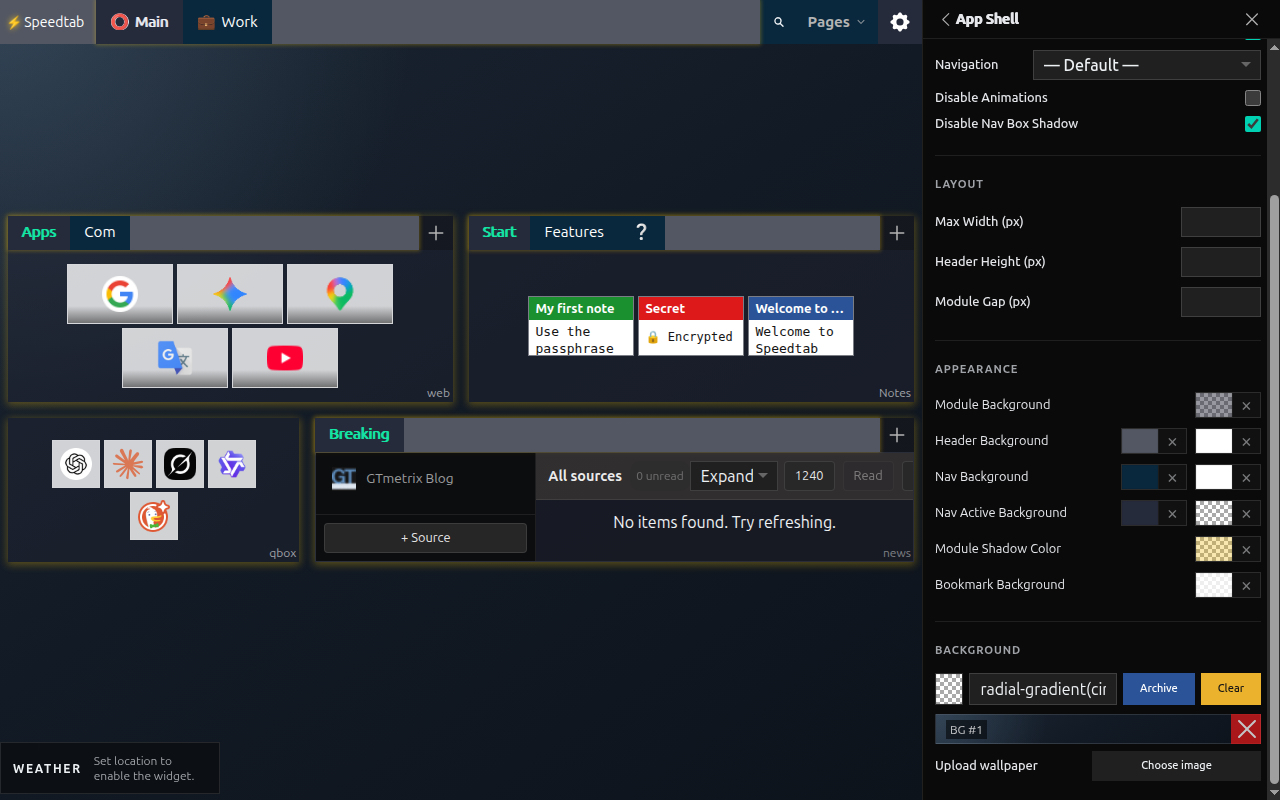
- Appearance & layout: global wallpaper, per-page background overrides, custom CSS background editor with live validation and a saved gradient archive.
- Per-module layout: auto, multi-column span, full-width, min-height, spacing and padding overrides.
- Shell width boundaries and widget rail placement (top or bottom).
Visual bookmarks module
- Visual tiles with custom favicons or uploaded preview images.
- Built-in CropperJS tool to crop uploads to a fixed tile ratio before saving.
- Asset browser & favicon manager: pick from IndexedDB assets, upload your own, auto-repair low-contrast or transparent dark favicons.
- Per-module open behavior: current tab, new background tab or new foreground tab.
- Tile modes — Default (106×60), Quicklinks (48×48 favicon-first), Big Tiles (154×80), optional title-below layout.
- Tile-level custom background colors with transparency support.
Speed dial module
- Dedicated full-width Speed Dial surface with a visually minimal, transparent module shell.
- Centered 16:9 tiles with adjustable height and top, center or bottom content alignment.
- Optional tabs, inline add-tile and full-page-height mode for classic or categorized layouts.
- Dedicated local Speed Dial image assets with per-image padding.
- Favicon-derived tile colors create cohesive visuals without external screenshot or image services.
Todo module
- Task management module integrated directly into your workspace grid.
- Flexible task options: priorities, optional color indicators, notes, due date/time and compact metadata display.
- Clear visual status labels and color coding for open, completed-on-time, completed-late and overdue tasks.
- Tile view layout mode, standard module tabs and shared quick-setting controls.
Notes & interactive note engine
- HTML notes: sanitized rendering, asset-backed placeholder tokens, inline images.
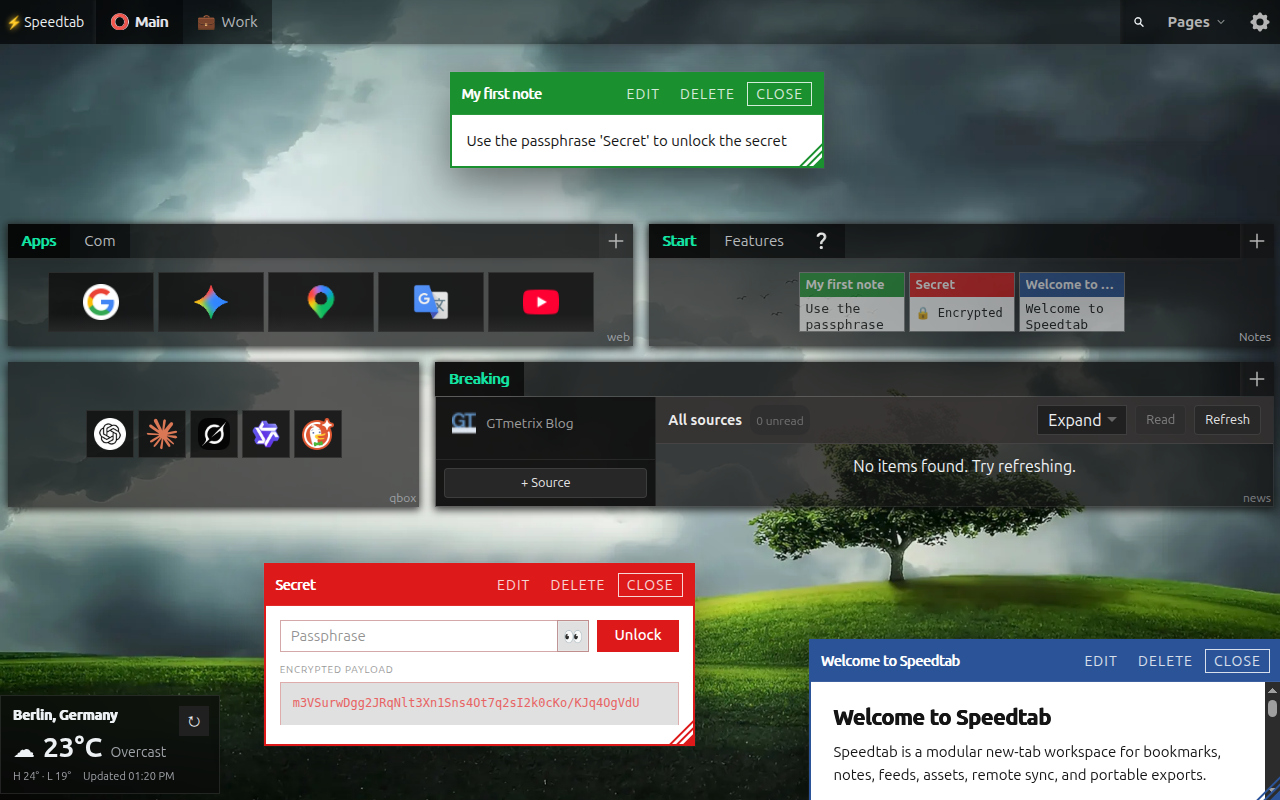
- Live, fully interactive YaiTabs nested tab structures hosted directly inside note content.
- Attribute-driven style API (data-st-*) for sizing, spacing, flexbox, grid, borders, radius, shadows, typography and color — without inline style vulnerabilities.
- Preset macros to inject layout skeletons and component templates into the editor.
- Text, Links (raw URLs → clickable lists, prose → quote blocks) and Code notes with Highlight.js syntax highlighting.
- Crypt notes: AES-GCM + PBKDF2-SHA256 (310,000 iterations); passphrases never stored or cached.
- Editor surfaces: split view with live preview, Flying Config for deeply nested tab content, and a local quicknote scratchpad kept out of workspace exports.
- Floating window system & Document PiP: draggable, resizable, focus-stacked windows, or detached into native Document Picture-in-Picture with live content syncing.
- Portable HTML-note widgets, beginning with Clockworx: synchronized IANA world clocks with digital or analog layouts and flexible date tokens.
- Virtual notes can launch from HTML, nested YaiTabs and URL-backed content, then be saved deliberately to Capture Inbox.
- Page-aware floating notes support headerless, surface-free and padding-free presentation, pinning, custom previews and an open-notes footer rail.
- Controlled presentation CSS supports approved inline styles and trusted stylesheets for rich HTML-note experiences.
Feed reader module
- RSS/Atom reader deployable inside any page module grid.
- Add, validate and auto-discover hidden feed endpoints from plain website URLs.
- Source filtering, visible article limits, read/unread tracking and bulk mark actions.
- Archive manager to save articles locally with optional comments.
- Expanded Reader View: maximize feeds into a full-width reading view with adjustable column width.
- Document PiP support: pop feed modules into desktop floating windows with preserved scroll position and live content updates.
- Real-time in-feed text filter and per-feed-tab auto-refresh with configurable intervals while the tab is open.
- Cross-origin fetching executed safely by the background service worker.
- Per-source favicons with automatic discovery and full Asset lifecycle support.
- Speedfeed ships as a first-party interactive RSS showcase in the example workspace.
Widget rail & utility tools
- Modular widget rail above or below your workspace pages.
- Clock: shared App Clock scheduler, digital or analog, localized formatting, token helpers, custom sizing, alignment and per-part colors.
- Local-first stopwatch and multi-timer on a zero-churn real-DOM render loop.
- Weather: compact rail readout, location search, °C/°F toggle and a detailed weekly forecast modal.
- Remote sync status indicator with visual health feedback.
Context menu capture & inbox
- Right-click any page or text selection to “Append to Quicknote” without switching tabs.
- Live pending counter in the tab title for unfiled clips (e.g. INBOX [3] — Speedtab).
- Inbox manager drawer to review, edit, filter and file clips into specific bookmark or note modules.
Data ownership, storage & remote sync
- 100% local-first: state, module structures and binary assets in IndexedDB via Dexie.
- Checksum-verified JSON exports (speedtab-export-<checksum>.json).
- Compact JSON collection import and export for visual bookmarks, notes and ToDo tabs.
- Identity-aware merge engine to transfer workspaces between profiles without duplicating records.
- Isolated import/export surface (import-export.html).
- Optional WebDAV sync: manual push, pull, remote comparison and status checks.
- Optional Google Drive sync via chrome.identity to your hidden app-data folder, with auto-push intervals and health verification.
Maintenance, sorter & localization
- Dedicated grid sorter (sorter.html) to reorganize page hierarchies, edit tab titles inline and cascade deletions.
- System cleanup manager to detect and clear orphaned records, unused assets and stale favicons.
- Native chrome.i18n internationalization.
- Full UI translations and localized example workspaces in English, German, Dutch, Turkish, Hindi, Russian and Chinese (simplified).
/// In the wild
Density that doesn't feel cramped.
/// Privacy by design
Your dashboard.
Your data. Period.
Most "productivity New Tab" extensions are dashboards for a remote company's database. Speedtab is the opposite — it's just yours, running in your browser.
Install Speedtab — Free- IndexedDB
- All app data lives inside your browser profile.
- AES-GCM
- Encrypted notes protected with industry-standard crypto.
- PBKDF2-SHA256
- 310,000 iterations. Passphrases never stored or cached.
- No backend
- No Speedtab server fetches your feeds. The extension does.
- No telemetry
- No analytics, no tracking, no third-party scripts.
- Portable
- Own your data. Export/import via a local JSON file.
Open a tab.
Get something done.
Free, open source, and built for people who want their browser to work as fast as they do.